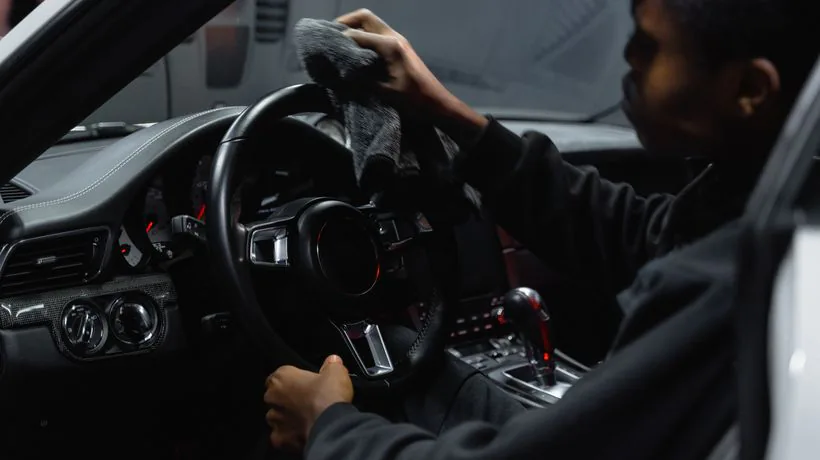
To clean a car touchscreen safely, switch the car off, then wipe the screen gently with a dry, soft microfibre cloth. If marks remain, lightly dampen the cloth, never the screen, and wipe again. That is close to what manufacturers such as Nissan say in their handbooks. Avoid alcohol, glass cleaner, household sprays and paper towels, which can scratch or deteriorate the display and strip the coating that helps it resist fingerprints. This guide explains the method, the products to keep away from the screen and how to fix a display that keeps smearing.
What do manufacturers say about cleaning infotainment screens?
Handbooks vary by model, but the advice is similar. Nissan's owner's manual for the 2025 Juke says:
- clean the display with a dry, soft cloth
- if more cleaning is needed, use a small amount of neutral detergent on a soft cloth
- never spray the screen with water or detergent
- clean it with the ignition or power switch off
- never use a rough cloth, alcohol, benzine, thinner, any solvent, or paper towel with a chemical cleaning agent, as these will scratch or deteriorate the panel
- do not splash any liquid, such as water or car fragrance, on the display, as contact with liquid will cause the system to malfunction
Check your own handbook before using any cleaner, because some makers allow only water.
How do you clean a car touchscreen step by step?
- Switch off. Turn the ignition off, or use a screen clean mode if your car has one, so you do not press buttons by accident and so smears are easier to see on a dark screen.
- Remove dust dry. Wipe lightly with a clean, dry microfibre cloth in straight lines. Grit dragged across the screen is what causes fine scratches, so shake the cloth out first.
- Dampen only if needed. Breathe on the cloth or touch it to a little clean water, wring it so it is barely damp, and wipe again.
- Buff dry with a second clean, dry microfibre.
- Check at an angle in daylight. Light smears show up best when the screen is off.
Use light pressure throughout. Pressing hard on a touchscreen is never needed and can stress the panel.
What should you never use on a car display?
- Glass cleaner and household sprays: many contain ammonia or alcohol that can attack coatings.
- Alcohol wipes and alcohol gels: Nissan lists alcohol among the products to avoid.
- Paper towels and tissues: wood fibres are abrasive enough to leave fine scratches.
- Interior dressing or protectant: these leave a greasy film that smears and glares.
- Anything sprayed directly at the screen, including air freshener, because liquid can run into the edges and electronics.
- Old or dirty microfibres that may carry grit from cleaning wheels or door shuts.
Why does my car screen smear more than it used to?
Many touchscreens, like phone screens, have an oil-repellent coating that helps fingerprints wipe away. Apple describes this as an oleophobic coating on the iPhone and says it wears over time with normal use, and that cleaning products and abrasive materials will diminish it and may scratch the glass. Car screens are not phones, but the principle is the same: harsh cleaners and rough cloths speed up the loss of the coating.
Once the coating has gone, the screen smears more easily and never looks quite clean. A good-quality screen protector made for your model can restore a smoother feel and protect the glass from future scratches. Fit it carefully on a freshly cleaned, dust-free screen.
What about the dashboard, controls and vents around the screen?
Clean the surroundings first, then the screen last, so dust and product from nearby surfaces do not land on a clean display. Brush dust out of the air vents and buttons with a soft detailing brush, then wipe hard plastics with a cloth lightly dampened with a suitable interior cleaner, keeping the cloth well away from the screen edge.
Our guides on cleaning car air vents and cleaning a dashboard without a greasy shine cover those areas in detail. Use a separate microfibre for the screen and keep it only for glass and displays.
How do professionals deal with screens during a valet?
Screens are one of the few interior surfaces we deliberately keep simple. On a visit we clean the dashboard, vents and controls first, then go over the display with a dedicated clean microfibre, dry or barely damp, with the car switched off. No dressings, no sprays and no steam go near the screen or the instrument cluster.
Steam is useful on seats, carpets and hard plastics elsewhere in the cabin, but it is the wrong tool for electronics. Screens are covered as part of our full interior and exterior valet, from £80, carried out at your home or workplace with our own water and power.
Sources
- Nissan UK: 2025 Nissan Juke owner's manual, Liquid Crystal Display
- Apple Support (UK): Cleaning your iPhone
- Nissan UK: 2025 Nissan Juke owner's manual, Cleaning interior
Smeary screen and grubby cabin?
EMobile Valeting brings professional, fully insured mobile valeting to your door across Derby, Nottingham and the East Midlands. No call-out fee.
See Car Valeting Get a Free Quote